








Comparisons
ExpertEdge vs Udemy Business for enterprise learning
A side-by-side of Udemy Business and ExpertEdge for enterprise learning content: what each does well, where each falls short, and how to choose.

Oli Huggins
CEO and Founder
Track how team skills grow, taught by the experts behind the courses your teams use every day.
Free for 7 days. Valid card required. Cancel anytime.
L&D teams are expected to make people better at their jobs, and prove that their purchasing decisions had impact. They're then sold two things separately.
Assignments, tracking and reports, with nothing on the shelf. You buy the courses somewhere else and stitch the two together. They may upsell you some content, but it's always lacking.
Thousands of pieces of content, distributed across various topics with plenty of overlap. Nobody can tell you what a person is able to do now that they were not able to before.
91% of Udemy courses drive just 21% of usage (Class Central, 2026).
ExpertEdge is one subscription that gives you everything you need.
So, what is ExpertEdge?
Backed by experts and publishers your teams already trust. Your people get courses they want to finish, and you get the proof that they did.
Role
AI Engineer
Skills
Courses



Employees can also self-report existing skills for overall profile completeness, but self-reported skills are clearly marked and let people complete profiles.
Set a role as the goal and the app orders the skills needed to get there, backed by our best content in the area and detailed with the hours each skill will take.
Every learner keeps a record of their skills, the roles held or targeted, and assignments due. You'll have everything in one place, and can report in minutes, not days.
And who is doing the teaching?
Every course has a real person behind them who you can connect with, verify and learn from with complete trusted confidence.
 247k followers
LLM engineering
Author of bestselling titles like Machine Learning with PyTorch and Scikit-Learn, and Build a Large Language Model (From Scratch).
 196k followers
Test automation
Founder of Rahul Shetty Academy. Close to 1 million students taught across Selenium, Playwright and API test automation.
 52k followers
CompTIA certification
Founder of Total Seminars and CompTIA expert. Author of some of the bestselling CompTIA A+ and Network+ All-in-One Exam Guides.
 215k followers
Leadership & teams
Founder of The Table Group. Author of The Five Dysfunctions of a Team, one of the best-selling business books ever written.
Followed by millions on LinkedIn, teaching on ExpertEdge. Meet them all
Published with
What does a learner actually do?
Built to be intuitive, your staff get an easy way of learning whilst you get the proof that they did so correctly with trusted content.
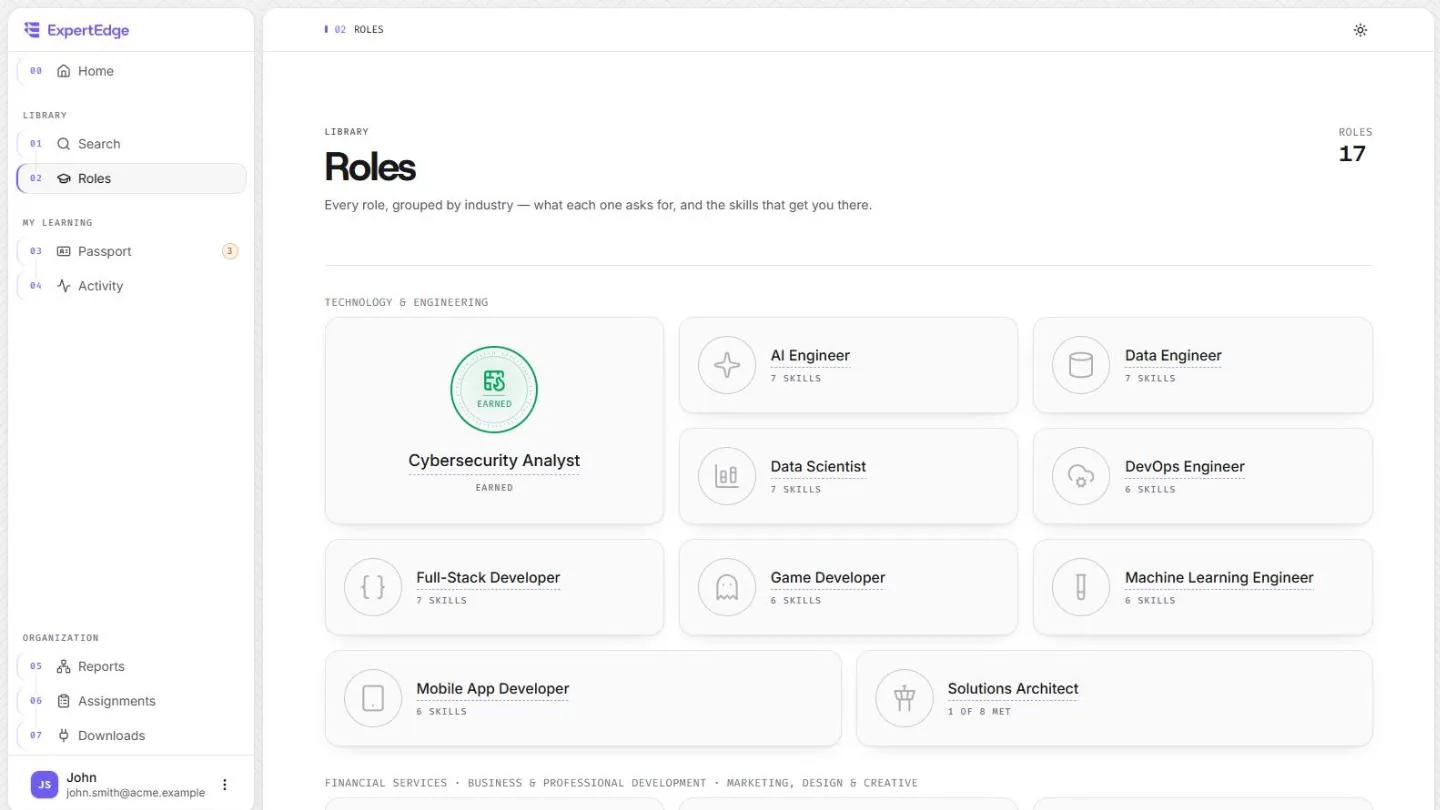
Step 1
Our hand-crafted roles are real jobs made of real skills. The learner sets it as their target, or you set it for them.
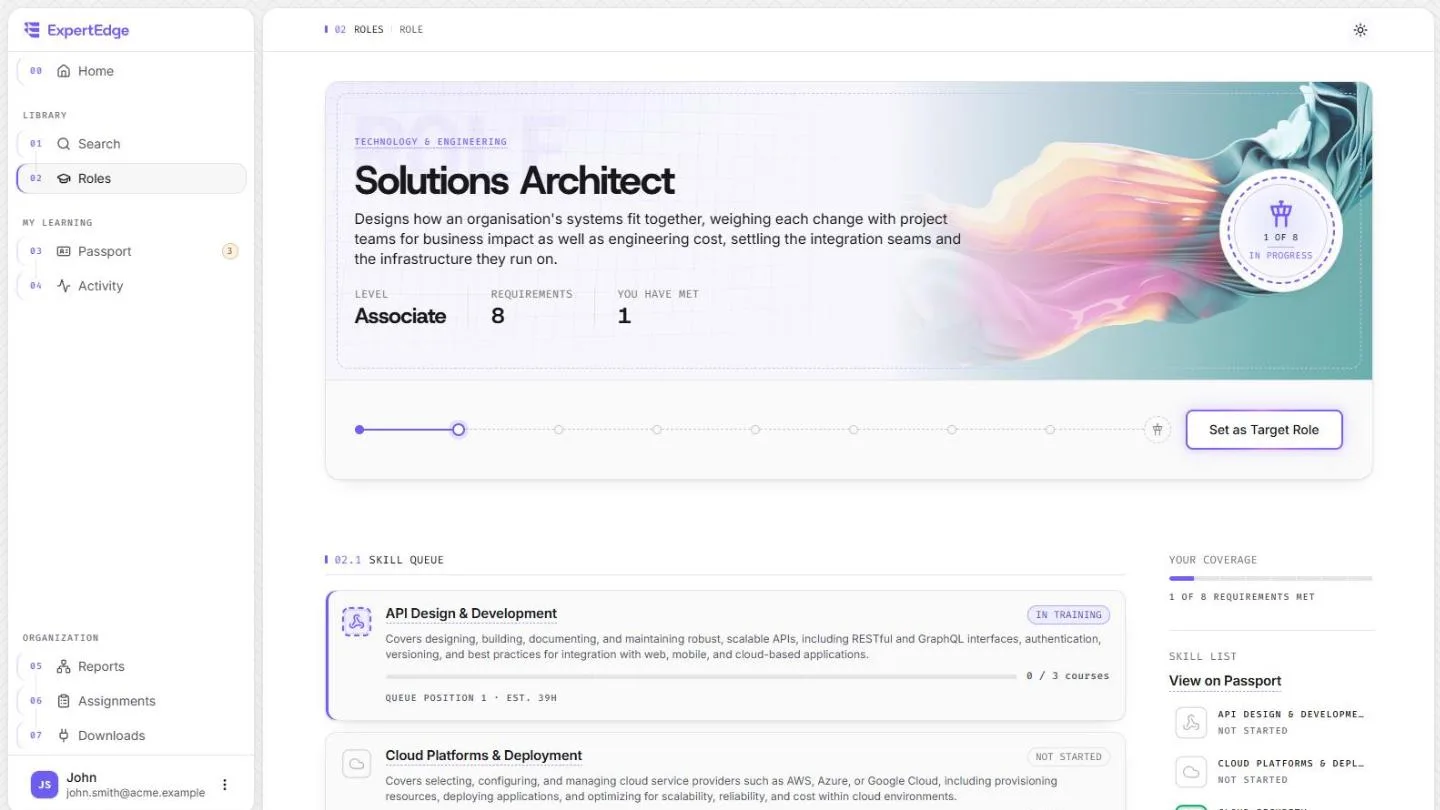
Step 2
Learners verify skills to prove a role and can pick and shuffle their skill queue. The next step is never a guess.
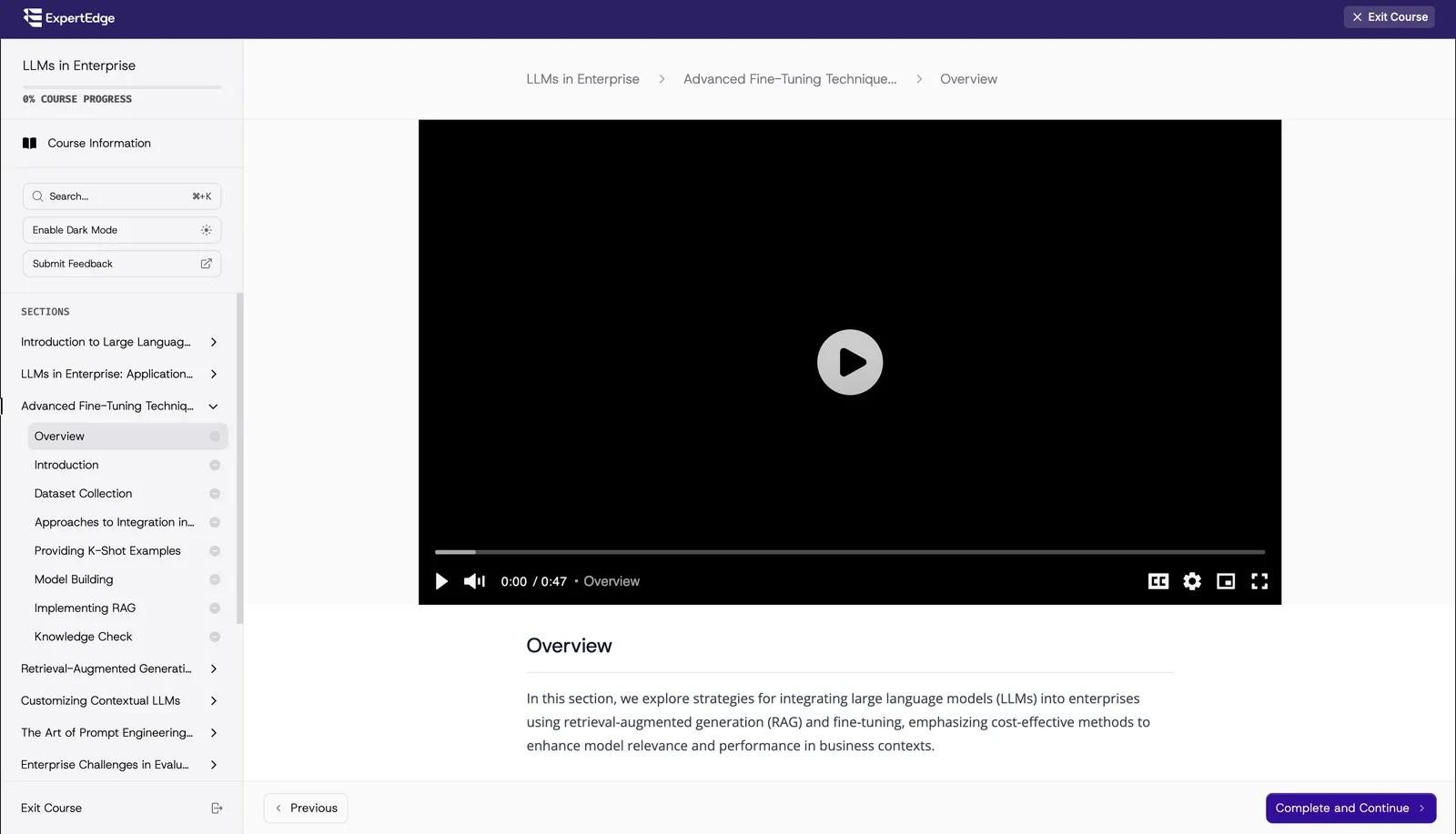
Step 3
Learners watch, read it and test themselves as they progress, with trusted experts doing all the instruction.
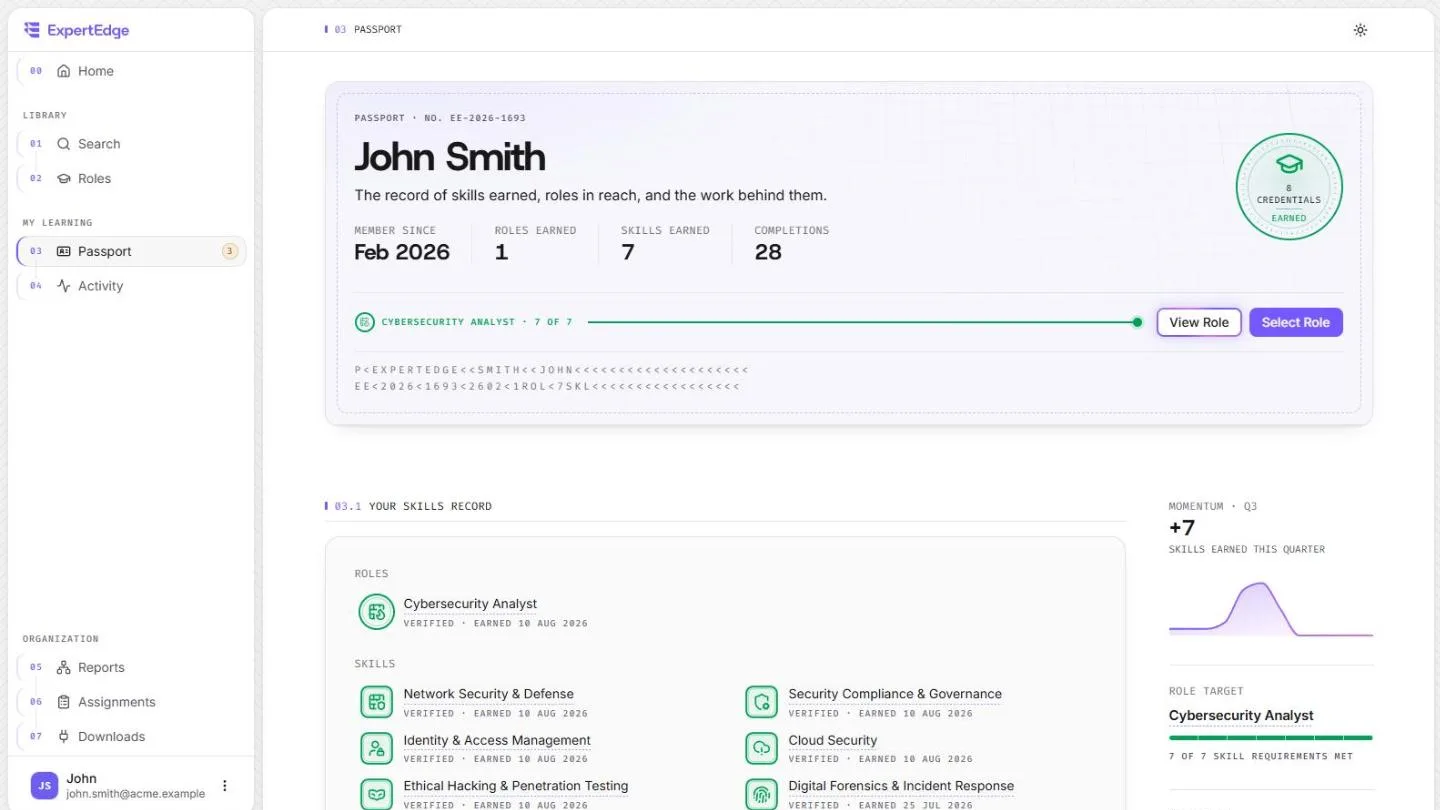
Step 4
Each skill lands on a learner's permanent record, and the validation of a job-ready role qualification gets closer.
And what do I see from my side?
Every person's hours, completions and skills live on one easy report, with self-reported skills marked so the picture stays honest.
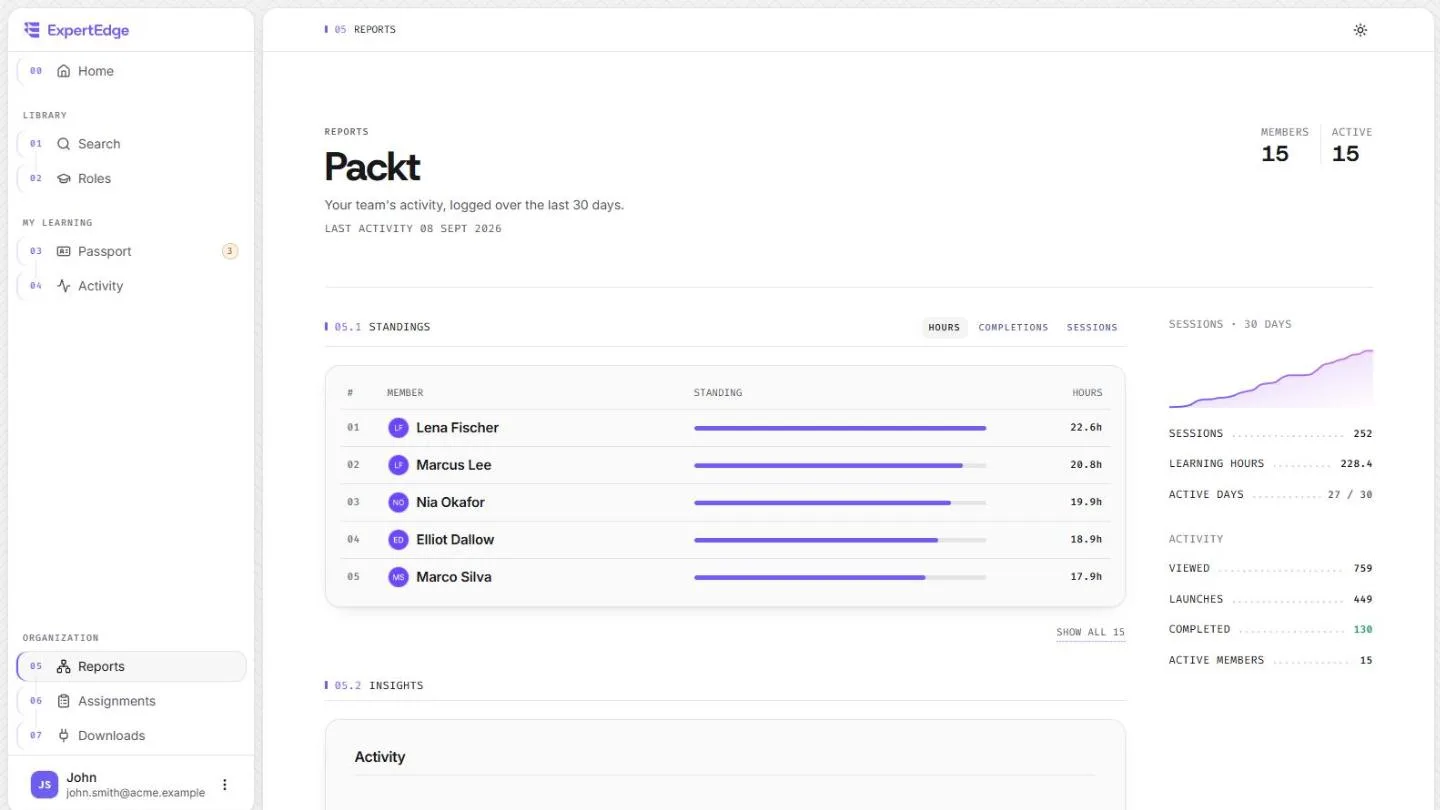
Reports and assignments are included in every plan, so the evidence is never an upsell.
Before you ask
If it's not here, feel free to schedule a call with us and we'll show you why ExpertEdge is the right solution for you.
You
Our library follows the technologies software, data and security teams actually hire for, and every tile here is a live count from the catalogue. Our library already is what powers most major whitelabeled LMS vendor subscriptions, and we keep it up to date with the latest releases.
You
An afternoon. Nothing to install, no implementation project. Add a card, invite the team and set a target role, and you can have your folks up and running that very day.
01
Starts the 7-day free trial. Cancel in one click before it ends.
02
By email or a shared link. Seats are added as people accept.
03
Each learner gets an ordered queue of skills, with the hours.
You
Keep it. Our own web application has the complete experience, but we can also deliver content directly into your existing LMS if that's what you prefer. We also support full SSO integration with your existing identity provider for easy onboarding and user access.
Content delivery
Single sign-on
A comprehensive solution for trusted content, with pricing accessible for any team
One simple price per learner that covers everything. Still not convinced? Every plan starts with a one week free trial.
Billed monthly
$15per learner / month
Everything, month to month, and you can leave whenever you like.
What's included
Billed annually
$10per learner / month
Everything, for a third less, billed once a year on one invoice.
What's included
No setup fees, no minimum seats. Invoicing available on plans of 20+ seats or more.
Comparing options? Read how ExpertEdge stacks up against Udemy Business, LinkedIn Learning, Coursera and edX in our comparisons
Our blog
Still not convinced ExpertEdge is the right fit for you? Review some of our thinking on enterprise learning, content strategy and more. See if we align via the full blog.
A side-by-side of Udemy Business and ExpertEdge for enterprise learning content: what each does well, where each falls short, and how to choose.
Oli Huggins
CEO and Founder
Enterprise L&D teams have approached content procurement the wrong way for a decade. What a mature B2B learning content stack looks like, and the layers most enterprises are missing.
Oli Huggins
CEO and Founder
A side-by-side of Coursera, edX and ExpertEdge for enterprise learning content: what each does well, where each falls short, and how to choose.
Oli Huggins
CEO and Founder